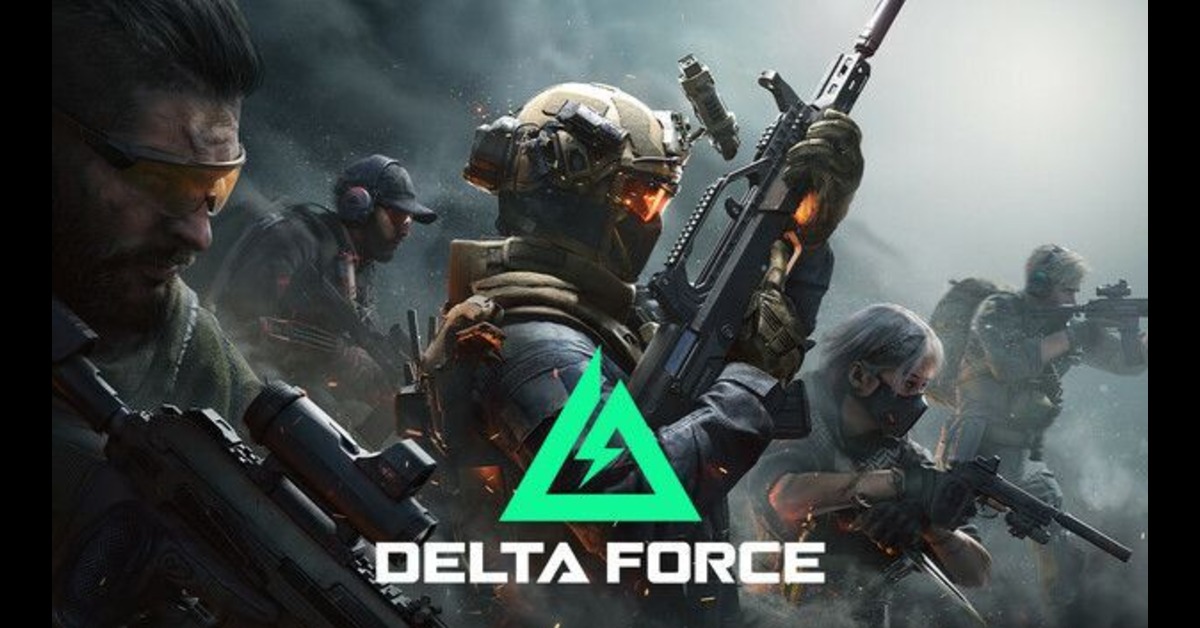
You’ll quickly see whether Delta Force deserves a spot in your rotation: it delivers tight, satisfying gunplay and large-scale PvP, plus an extraction mode that adds variety, though it doesn’t always break new ground. If you want a free-to-play shooter that balances polished mechanics with massive multiplayer battles, Delta Force is worth trying but its long-term appeal depends on community adoption and ongoing support.
This review will examine how the gameplay mechanics, visuals and audio, multiplayer systems, and performance shape your experience so you can decide if it fits your preferences and setup. Expect clear verdicts on both the high points and the pain points, from vehicle and weapon handling to matchmaking, net code, and platform compatibility.
Gameplay Mechanics
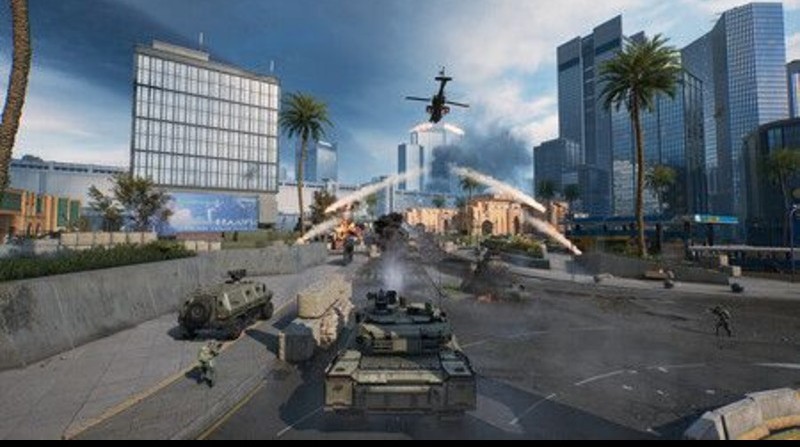
Delta Force mixes large-scale multiplayer combat with tighter, objective-driven encounters and detailed weapon systems. Expect long-range ballistics, deep weapon customization, and modes that push both tactical planning and quick reflexes.
Core Features
You engage with realistic bullet drop and travel time; you must lead targets at distance and account for weapon sway. Weapons have modular attachments barrels, stocks, optics that change recoil, aim stability, and effective range. Loadouts are persistent between matches, so your choices matter across sessions.
Movement and cover mechanics favour deliberate positioning. Sprinting reduces accuracy, and prone or crouched firing improves precision. Vehicles appear in some modes, offering transport and mounted weapons, but making you a visible target.
Match types alternate between large 64-player battles and tighter extraction-style rounds. UI displays ballistics info and equipment stats; use it to compare attachments. The game’s netcode emphasises hit registration for long-range shots.
Mission Design
Maps scale from wide-open desert and forest battlegrounds to compact urban interiors. In open maps, sightlines stretch for hundreds of meters, encouraging sniping and coordinated flanking. You must control high ground and supply nodes to dominate these spaces.
Smaller maps force room-clearing and close-quarters engagements. Objectives include capture points, bomb plant/defuse, and extraction of high-value targets. Each objective shapes loadout choices, smaller maps reward SMGs and shotguns, while large maps favour DMRs and marksman rifles.
Dynamic elements appear in some missions: timed reinforcements, destructible cover, and shifting objective locations. These force you to adapt tactics mid-round and communicate with teammates. AI teammates fill slots in some PvE scenarios, performing basic squad behaviours.
Difficulty Settings
You select difficulty for PvE missions and some extraction modes; settings alter enemy accuracy, detection range, and reaction speed. On lower difficulties, enemies miss more often, and patrols follow predictable routes. You can use that to practice ballistics and map knowledge.
Greater difficulties boost enemy tactics: they flank, use suppressive fire, and employ coordinated pushes. Enemy durability increases too, so you must prioritise headshots and controlled bursts. Resource scarcity, ammo, and med supplies also scales, requiring you to manage inventory.
Certain modes lock difficulty for competitive balance. Public PvP matches keep weapon and attachment effectiveness consistent, while custom servers let you tweak AI, spawn rates, and friendly fire for tailored challenges.
Visuals and Audio
Expect detailed visuals that emphasise range and scale, and audio tuned for positional clarity and competitive play.
Graphics Quality
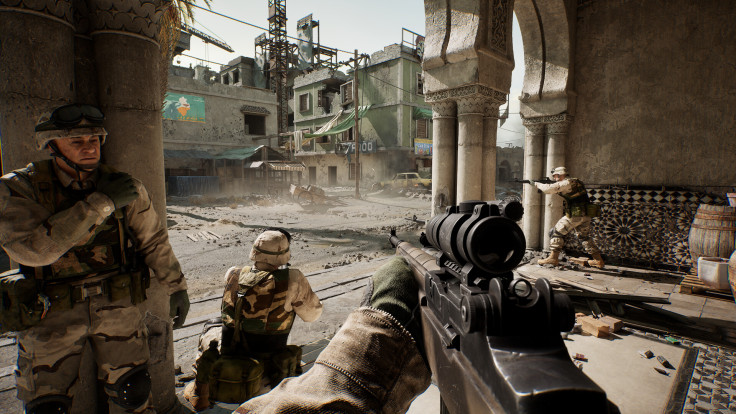
You can expect large, detailed maps with long sightlines and dense player counts that stress draw distance and LOD systems. On high-end PCs, the game delivers crisp textures and stable geometry at medium-to-far ranges, but foliage pop-in and occasional shadow flicker appear on ultra settings.
If you need higher FPS, reduce shadow quality, set crowd/particle density to medium, and use temporal upscaling or a native lower resolution. For consoles, toggle the performance mode only after testing frame pacing reports show some builds have unstable 120Hz support and problematic controller deadzones that make aiming feel sluggish.
Useful tweaks:
Shadows: Medium/Low for big FPS gains.
Draw Distance: High for tactical awareness; lower to reduce stutter.
Upscaling: Use native when possible; temporal gives smoother frame rates.
dolor sit amet, consectetur adipiscing elit. Ut elit tellus, luctus nec ullamcorper mattis, pulvinar dapibus leo.
Soundtrack and Effects
The soundtrack provides situational cues but remains subdued so you can hear enemy movement and weapon fire. Music plays during cinematic moments; in combat, you’ll rely on SFX for footsteps, suppression, and vehicle noise.
Enable HRTF or binaural audio if you use headphones to improve directional localization this boosts footstep detection to 10–30 meters depending on environment. Set SFX near max, Master around 60%, and Music lower (around 20–30%) to prioritize spotting. Virtual 7.1 can reduce CPU cost on some systems while preserving spatial cues, but test with your headset to avoid artificial widening that masks vertical cues.
Multiplayer Experience
The game splits its focus between large-scale competitive matches and smaller cooperative objectives. Expect detailed loadout systems, varied maps, and modes that reward coordination and role specialization.
Co-op Modes
You can play the campaign cooperatively or tackle PvE missions that mirror classic tactical objectives like hostage rescue and extraction. Missions require role balance: one player often needs to suppress enemies while another handles breaching, and a teammate managing recon or medkits changes the outcome of tight encounters.
Progression ties into co-op through weapon modifications and gear unlocks, so repeatable missions remain useful for improving your loadout. AI behavior fluctuates some encounters feel tense and well-scripted, while others rely on enemy numbers rather than tactics so prepare for mixed pacing across levels.
Online Community
Matchmaking supports large battles and smaller skirmishes, with server sizes up to 64 players on some modes. You should expect a mix of organized, communicative squads and solo players; coordinated teams dominate objective play, while lone players do better in more chaotic skirmish modes.
Player behaviour varies: reports note occasional moderation issues and bans, and community hubs debate balance and feature requests, such as controller support and private lobbies. Developers have added features such as private matches and a server browser to give you more control over who you play with.
Performance and Compatibility
You can expect solid frame pacing on mid- to high-end PCs, but some players report stutters on consoles and lower-spec machines. Performance depends on CPU single-thread speed, GPU power, driver maturity, and background processes.
System Requirements
Minimum and recommended specs are important for 64-player large-scale matches and extraction modes. At minimum, plan for a modern quad-core CPU (or better), 8–16 GB RAM, and a dedicated GPU roughly equivalent to GTX 1060 / RX 580 to maintain 60 FPS at 1080p with low settings.
Recommended hardware for stable high-FPS play includes a six- to eight-core CPU (e.g., Ryzen 5/Intel i5 class or higher), 16 GB RAM, and a GPU in the RTX 2060–RTX 3070 class for 1440p or high-refresh 1080p. Fast NVMe storage reduces level load and streaming hitches during big matches.
Also check driver versions and OS updates. If you run a high-end GPU (RTX 30-series) and still stutter, inspect overlays, background recording, and CPU-bound scenarios like dense player counts.
Optimization
PC optimization gives the most control; console optimization is more limited and currently uneven. On PC, use the in-game graphics presets as a starting point, then tune shadows, view distance, and particle effects first—those affect CPU and GPU differently.
Enable native resolution and adjust render scale to balance sharpness versus frame rate. Turn off unnecessary overlays (Discord/Steam), background recording, and power-saving modes to reduce microstutter. Keep GPU drivers current; roll back only if a new driver introduces regressions.
On consoles, players report issues with the labeled “Performance Mode” and controller deadzones. If you play on Series X/S or PS5, test the different modes, disable VRR if it causes instability on your display, and apply any console hotfixes when available.
PS5 Availability and Download Guide
Is Delta Force available for PS5?
Delta Force is not consistently available as a native PlayStation 5 title across all regions and builds at the time of writing. Some versions and tests have focused primarily on PC and limited console environments, so availability on PS5 may depend on future updates, regional releases, or official announcements from the developers.
If you are planning to play on PS5, you should monitor official channels and the PlayStation Store for confirmed releases, as support may expand over time. You can also explore similar console experiences and performance insights in this review: God of War Ragnarok
How to download Delta Force on PS5?
If Delta Force becomes officially available on PS5, you can download it using the standard process:
Open the PlayStation Store on your PS5.
Search for “Delta Force.”
Select the correct version of the game.
Click Download or Add to Library (if free-to-play).
Wait for installation to complete, then launch the game.
If the game does not appear in search results, it means it is not yet available in your region or has not been released on PS5. If you are considering upgrading your setup, check this guide for choosing the right console: Best Gaming Consoles
For more gaming insights, you can also explore trusted platforms like IGN or GameSpot for additional reviews, comparisons, and updates on new releases.
Frequently Asked Questions (FAQ)
1. Is Delta Force free to play?
Yes, Delta Force follows a free-to-play model, allowing you to access core gameplay without an upfront purchase. Additional content or customization options may be offered separately.
2. Can you play Delta Force solo?
You can play certain modes solo, especially PvE missions, but the game is designed around team-based gameplay. Playing with a squad generally provides a better tactical experience.
3. Does Delta Force support crossplay?
Crossplay support may vary depending on the platform and version. You should check the latest updates from the developers to confirm whether cross-platform play is fully supported.